Export X Posts
Save time and effort by exporting posts (tweets) you are authorized to access into CSV or Excel format. Analyze public post history, archive content, and support social media reporting while respecting platform rules and privacy laws.
X Posts Exporter
TwPostExport simplifies the process of exporting posts you are authorized to access. Reduce manual data collection and use streamlined exports to support responsible analysis, reporting, and archiving.

Designed for lawful, authorized use
Only export data you are permitted to access, and use exported data responsibly.
Privacy-first export
The extension runs in your browser. Exported data is processed locally on your device and downloaded directly to your computer. We do not collect or store your exported data.
What type of data can you export via our Twitter Posts Exporter
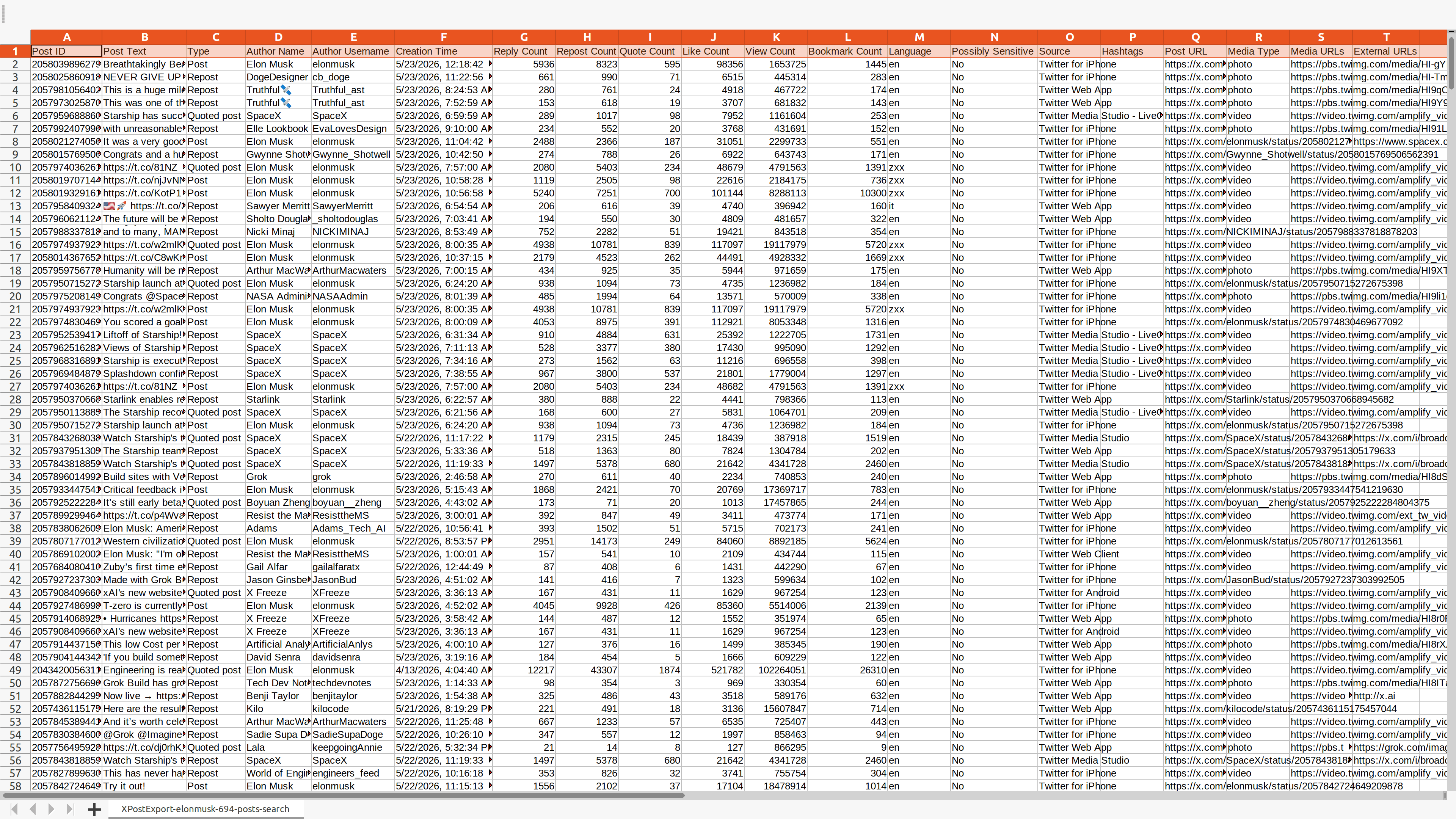
Supported fields depend on account access, privacy settings, and platform availability.
| Field Name | Description |
|---|---|
| Post ID | A unique identifier assigned to each post. |
| Post Text | The text content of the post. |
| Type | The type of the post (e.g. post, repost, reply, quoted post). |
| Author Name | The name of the post author. |
| Author Username | The username of the post author. |
| Creation Time | The creation time of the post. |
| Reply Count | The total number of replies to the post. |
| Repost Count | The total number of reposts of the post. |
| Quote Count | The total number of quotes of the post. |
| Like Count | The total number of likes of the post. |
| View Count | The total number of views of the post. |
| Bookmark Count | The total number of bookmarks of the post. |
| Language | The language code of the post. |
| Possibly Sensitive | Indicates whether the post's content may be sensitive. |
| Source | Utility used to publish the post. |
| Hashtags | The hashtags included in the post. |
| Post URL | The URL of the post. |
| Media Type | The type of media in the post (e.g. photo, video, etc.). |
| Media URLs | The URLs of the media in the post. |
| External URLs | The URLs of external links in the post. |
Start for free today
Sign up for a free plan today and start exporting your posts now.
Pricing
Start for free, stay for the value.
Free
$0
Get started for free
- Export up to 200 posts per time
- Export posts within a date range
- Save data as CSV or Excel
- Resume export tasks from history
Pro
$12/month
Maximize your results with the Pro Plan
- Export more available posts per time, subject to platform availability
- Export posts within a date range
- Save data as CSV or Excel
- Resume export tasks from history
- Priority customer support
Frequently asked questions
Feel free to contact us if you have any other questions.
What is TwPostExport?
TwPostExport is a tool for exporting Tweets you are authorized to access to a CSV or Excel file. It can help you analyze public post history, archive content, and support social media reporting while respecting platform rules and privacy laws.How to find an X (Twitter) username?
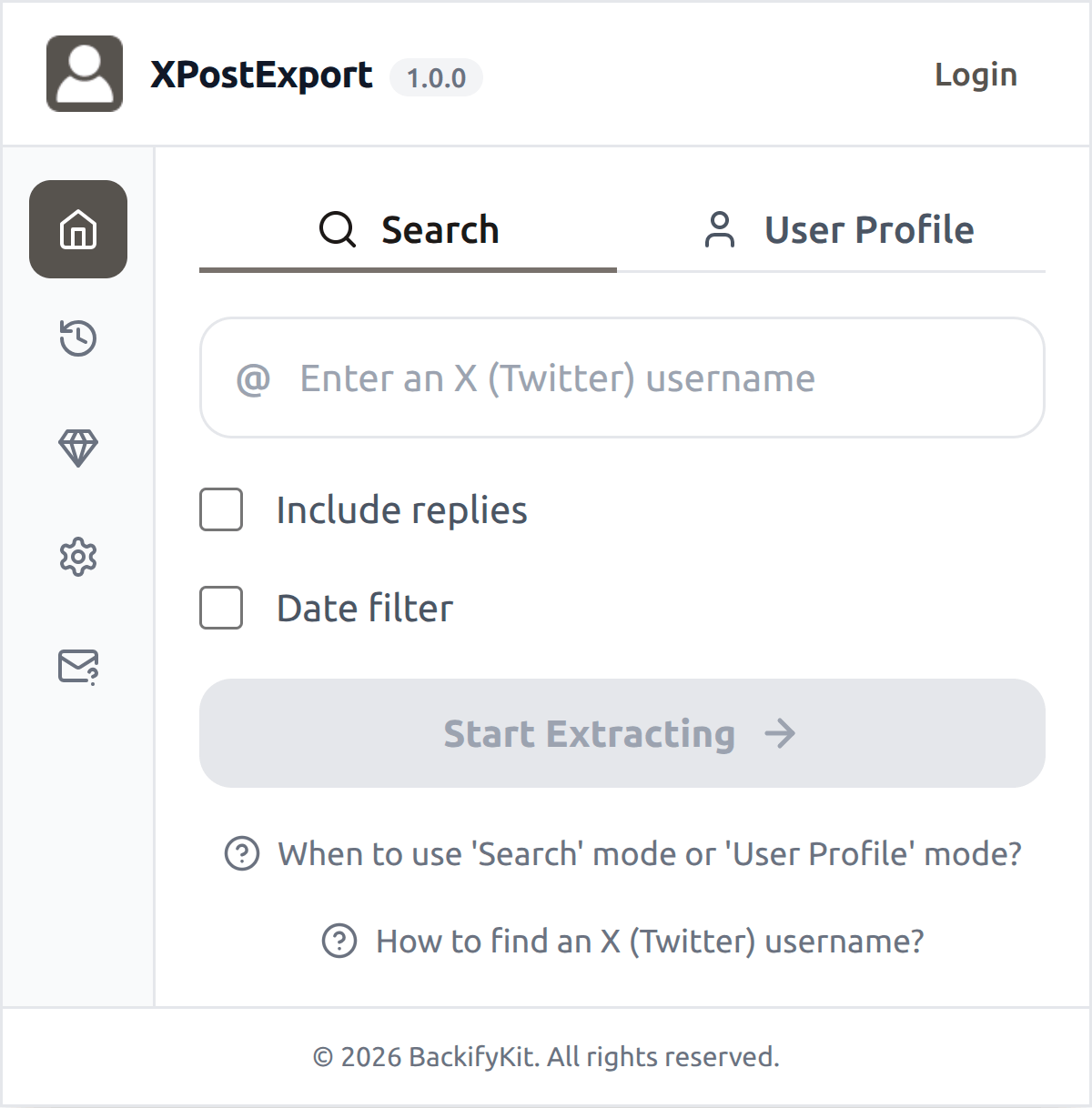
Go to the X (Twitter) profile page. The username appears after the @ symbol below the display name, e.g. @elonmusk.
How to use TwPostExport?
1. Enter an X username, optionally select the "Include replies" and "Date filter" options, then click "Start Extracting" 2. Wait for the process to complete, then download your dataWhat is X rate limit?
X (Twitter) enforces API rate limits (typically per 15-minute window). TwPostExport automatically manages these limits by pausing and retrying, ensuring a smooth export process.
How to upgrade my plan?
To upgrade your plan, please contact our support team with your desired plan details—they’ll handle the upgrade for you.Can I cancel my subscription?
You can cancel your subscription at any time through your extension's subscription page. Once canceled, you will retain access to the subscription until the end of your billing cycle.